


Every parent wants their child to be responsible, disciplined and capable of making good decisions. When it comes to German parents they teach these values by introducing some concepts from an early age. Concepts like saving money, respecting time and taking responsibility are some of the factors that teach children instant gratification.In a recent video, communication expert and content creator Pawan Kamboj Kumar highlights the same. According to him, German parents place a strong emphasis on teaching these life skills from an early age. Here are the parenting practices.
6 Jul 2026 | 14:01
According to Kumar, one of the first lessons many German children receive is managing their own pocket money. Instead of buying every toy or item a child asks for, parents often give children a fixed amount of pocket money. If they want something special, they are expected to save for it over several weeks.As Kumar explains, this teaches children that “everything comes through effort and planning, not for free.”

Image: Canva
Kumar also points out that children are regularly given small at-home responsibilities, such as; cleaning their own room or setting the dining table. According to him, assigning these age-appropriate responsibilities helps develop responsibility and a habit of hard work from an early age. Instead of viewing chores as punishment, children learn that contributing to family life is a normal part of growing up.
Another lesson Kumar highlights is punctuality. In Germany, school schedules, playtime, and family dinners often follow fixed timings. If someone arrives late, they naturally experience the consequences rather than being constantly reminded. He says children are taught that other people’s time is just as valuable as their own. Over time, this habit becomes part of their everyday behaviour.
Perhaps the biggest parenting lesson Kumar discusses is resisting the urge to satisfy every request instantly. As Kumar explains, “Just because a child asks for something doesn’t mean parents immediately give it.” He notes that German parents do not immediately buy something a child asks for. Waiting becomes an important lesson in itself. Children are encouraged to wait and understand the concept of an earned reward.
The biggest parenting takeaway here is that teaching children responsibility and making them aware about the value of time can be done through simple routines. While parenting lessons differ around the world, some simple habits can become powerful tools to raise responsible kids.

Few can fill a blank canvas like Derrick Adams. At 56, Adams is widely regarded as one of the most important artists of his generation, known for capturing themes of Black life in America in vibrant, kaleidoscopic style.
© Derrick Adams
He is by no means a minimalist. “Sometimes there’s opportunities to be very minimal and still be impactful,” he said. “And there’s times where density is really important, if you’re trying to create an immersive experience. There are so many different ways that I communicate.
“Using color is not because I like colorful things. It’s really, like, color is more to activate a certain psychological response from the audience based on our association with certain colors, even sometimes when they don’t even know why they’re gravitating towards things.”
Born and raised in Baltimore, Maryland, Adams moved to New York for college, and to pursue a career as an artist. It wasn’t long before he gained attention internationally for his signature style. Today, that palette drenches the interiors (and even exterior) of Boston’s Institute of Contemporary Art, home to a mid-career retrospective of his work.
Photo by Mel Taing; Courtesy of Derrick Adams/ICA Boston 
Throughout the space are joyous scenes of everyday life and leisure, like a work from his signature “Floater” series. “We study, like, the chaise lounge, and the figures in Renaissance laying on the chaise lounge,” he said. “I was like, ‘How could you do it in American pop style?’ It would be more fun.”
CBS News 
His art shows Black life in all its complexities. “And undisturbed,” he said. “It’s really more about what happens when you leave a Black person alone to do the things that we do.”
It’s also an attempt to capture something even more elusive in art: Black joy.
Adams said, “If you see my work, you’re going to see things that may remind you of times where you are in spaces where you feel safe and normal and human. I think the difference between the idea of Black joy and joy is that, if there’s two people going out to jog in the morning, one person is gonna be assured that if something does happen, there will be ramifications if it does happen. But the other person? Through history and understanding, many things could happen to them jogging. They could be arrested for something that they did not do, or anything. [Killed], yes. But the difference between the two is, a person who has the most to lose will still put on their headphones and jog. And that’s Black joy, huh? Because you still do it!”
Asked if he has gotten feedback from people saying his work is “too light,” Adams replied, “All the time. There may be people who may feel that by showing this other aspect of Black culture, that it diminishes the reality of what some people may face in that people may forget about the trauma of what’s happening by getting lost in this particular narrative.
“We occupy multiple spaces. And if anything, I’m letting people know that you deserve this,” he continued. “And if you care to respond to things in a kind of editorial way or a journalistic way as an artist, that’s important for artists to feel compelled to do that. But I think that artists – definitely artists of color – should still be able to speak on things that they feel they want people to know about them as an individual or as a group.”
© Derrick Adams 
That vision has led critics to call Adams one the leading painters of Black contemporary life, credited with expanding the possibilities of American art.
But Derrick Adams insists his focus is not on legacy – simply making sure his art continues to radiate joy.
“I always say this thing like, when I’m gone and people — I’m not morbid! But I always think about the idea of art,” he said. “Everyone is gonna go at some point. I’m either gonna end up in a museum collection or on ‘[Antique] Roadshow.’ I’ve seen good stuff on there! You know, the idea of good art, it’s gonna end up somewhere. I think that people never throw away things that they feel are needed.”
CBS News 
For more info:
Story produced by Sara Kugel. Editor: Chad Cardin.
A tiny microbe has been making a lot of Americans sick. Really sick. Just ask Jessica Mallard. “I wasn’t feeling well. The pain in my stomach was, like, unbearable,” she said.
The parasite is called cyclospora, It gives you (and I’m sorry to have to say this) debilitating, explosive diarrhea that can last for weeks. Since May, more than 11,000 cases of this miserable illness have been reported in 41 states.
“I’m still fatigued,” said Mallard. “Like, I’m really, really weak.”
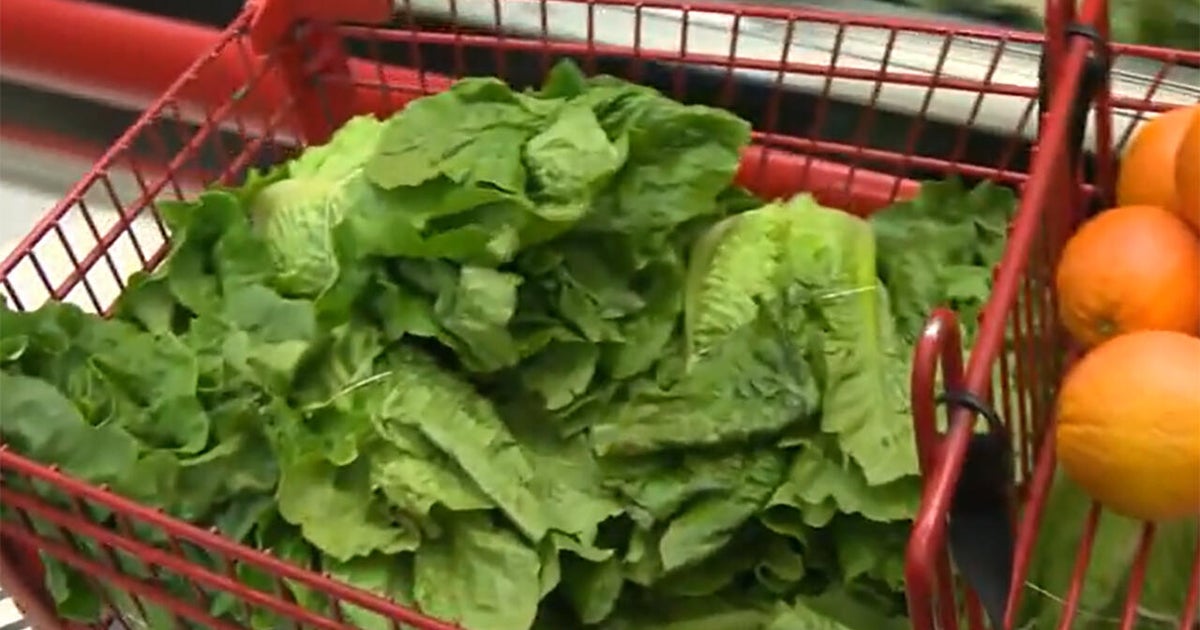
The FDA believes that the biggest outbreak this season, the one affecting nine states so far, came to us aboard contaminated iceberg lettuce from Mexico. That lettuce was shipped nationwide by Taylor Farms, a huge distributor that supplies thousands of groceries and restaurants.
“We’ve never seen anything like this,” said Susan Mayne, an adjunct professor at the Yale School of Public Health, who ran the food-safety department of the Food and Drug Administration from 2015 to 2023. “This is just an astonishingly large outbreak, record-setting outbreak.”
Cyclospora comes from human feces. How could that get on the lettuce? “It could be inadequate bathroom facilities, inadequate hand-washing facilities,” said Mayne. “Somehow that water is getting contaminated from some other source – sewage, some other source.”
Almost half of all food-borne illnesses comes from fruits and vegetables, in part because we usually don’t cook them before eating. These outbreaks are also financially devastating – to farmers, suppliers, and restaurants.
And so, after a 2006 spinach contamination, when the FDA warned against eating spinach, nearly every grower of spinach in the country was affected. The West Coast farming industry resolved to self-regulate.
And so, the Leafy Greens Marketing Agreement (LGMA) was born – a coalition of farmers who have agreed to adopt food-safety protocols more stringent than the government’s. “They join voluntarily, but once they join, they must follow our rules,” said LGMA’s CEO Tim York.
Jack Vessey, a fourth-generation produce farmer in southern California, said, “We have to do it. Any kind of outbreak is detrimental to our industry.”
Vessey’s operation abides by the LGMA rules, which require sanitizing the irrigation water; testing it at the source and at the spraying end; hair nets and gloves; knife disinfectant; state inspections at least three times a year; and barcodes for tracing produce back to their original fields.
CBS News 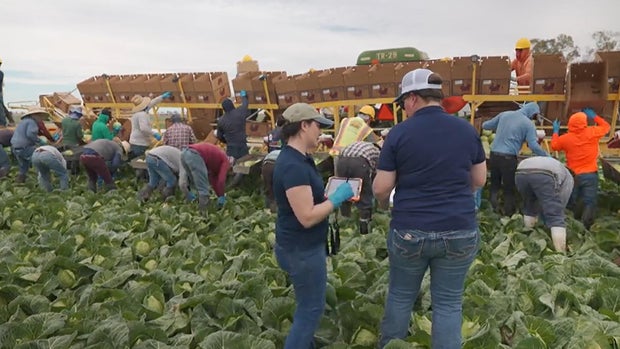
But despite all of these precautions, outbreaks can still happen. “Outbreaks may occur because we are growing product outdoors,” said York. “Some bacteria just occur naturally within an environment. They just exist. And so, we control as much of the ecosystem as we can.”
Eventually, every discussion of food safety rolls around to the government. Susan Mayne acknowledged that food safety budgets have been under-resourced for decades.
But during President Trump’s second term, the FDA has lost about 20 percent of its staff; the Centers for Disease Control and Prevention is down 25%. The CDC used to have 11 scientists tracking food parasites; now it’s three.
“We had a national advisory committee, a committee that advised FDA and USDA on how to prevent microbial contamination in food,” said Mayne. “That advisory committee was disbanded. We used to convene meetings with our Mexican counterparts on how we can work together to improve food safety. That entire team was let go.”
And then there’s FoodNet, a joint venture of the FDA, the CDC, and the U.S. Department of Agriculture that provided an early-warning surveillance program that used to track eight particularly nasty microbes. But now, it tracks only two – and cyclospora is not one of them.
CBS News 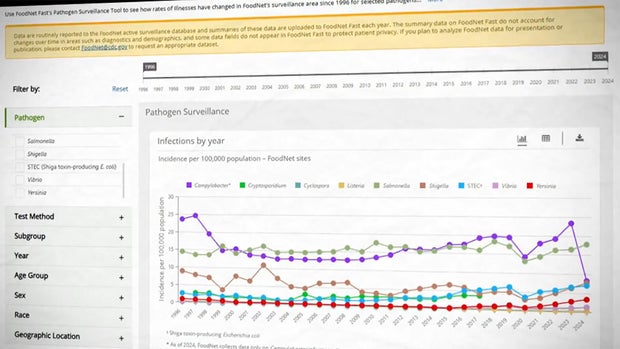
In 2011, Congress passed a food-safety bill that included a Traceability Rule. It said that any food-related company must keep detailed supply-chain records for vulnerable ingredients, all the way from the fields to the store. It was supposed to take effect this year. “I can tell you, having seen lettuce tracebacks, that would’ve been incredibly helpful,” said Mayne.
But the rule has been delayed until 2028.
So, if there is a cyclospora outbreak next year, we still won’t be able to trace it? “That’s correct,” replied Mayne. “Unless Congress or somebody else intervenes in the interim.”
This past week, Health and Human Services director Robert F. Kennedy Jr. told reporters that criticisms of the administration’s food safety programs were “invalid.”
“We’ve had no cuts in our surveillance program,” Kennedy said. “We did cuts in the FoodNet program, but they were for redundant surveillance.”
But Mayne says, “No, it’s not accurate. I mean, clearly there have been cuts.”
So, for now, what would be her advice for consumers? “I would avoid the bagged salads,” Mayne said. “And the reason is that a little bit of contamination can be spread more broadly through bagged salads.”
The former head of food safety says that this summer’s outbreaks are more than just another headline. “This is a national wake-up call,” Mayne said. “We want our dollars to be spent protecting public health, and protecting health. And so, I hope people will make that message clear, ’cause I haven’t talked to a single person from either party that wants to see unsafe food on our tables.”
For more info:
Story produced by Wonbo Woo. Editor: Jennifer Falk.

Ever looked at a picture and seen something completely different from what your friend saw, staring at the exact same image?
That is exactly what optical illusion personality tests do. They’re pictures designed with more than one image hidden inside, and whichever one your brain grabs onto first is supposedly a clue about how you think, feel, or solve problems.
The trick isn’t really magic; it’s just how your brain works.
Optical illusions are teasers that not only trick the eye but also the brain. When something’s genuinely ambiguous, your mind doesn’t wait around confused; it quickly picks whichever interpretation feels most familiar and chooses to see it!
This optical illusion will tell you about your personality based on what you spot first among the many hidden in the picture.
This test trace was originally posted by TikTok creator ItsMeFuzz, according to YourTango. This illusion hides two distinct images within a single picture, and viewers are called in to notice which one they spot at first
So, what did you see in the picture first?Photo: YourTango/ @ ItsMeFuzz/ TikTok

The team changes suggested the home side would be favourites, but not the scale of the one-sided encounter that followed.
Middlesex recalled Roland-Jones for Jack Nelson, while Glamorgan gave debuts to two seamers – 18 year old academy product Tom Edwards and Aussie Connor O’Riordan, who has been on an extended second team trial.
Both teams have five players at the Hundred, but Glamorgan also chose to rest the overworked Timm van der Gugten as well as veterans Colin Ingram and Chris Cooke, with Zain ul Hassan on paternity leave, teenage prodigy Tom Norton missing at least most of the competition with a back issue, Jamie McIlroy suffering a minor niggle, and Billy Root not selected.
Sharma was quickly into his stride having Callum Nicholls adjudged lbw, but with Byrom getting the ball away for six fours, Glamorgan got to 44 before they fell apart, losing wickets in six consecutive overs.
Sharma had Henry Hurle (10) caught by keeper Joe Cracknell, Jack Hope-Bell caught to mid-off and Will Smale given lbw.
Meanwhile Roland-Jones induced Byrom (29) and Dan Douthwaite to edge to slip, Sam Robson snaffling two smart grabs, while Alex Horton feathered a catch behind.
Roland-Jones bowled his 10 over allocation straight through, while Sharma was replaced after seven by Cornwell, who wrapped up the last three while Cracknell finished with four catches.
The difficult bounce did not excuse the extent of Glamorgan’s struggles against an accurate seam attack.
With 20 coming off a nervous first over from O’Riordan, Josh de Caires got Middlesex off to a flyer.
Captain Andy Gorvin took himself off after just two overs just to give Edwards a bowl, but the 50 came up in just six overs as De Caires and Nathan Fernandes were able to attack with freedom.
Fernandes (14) drove Edwards to mid-on to give the youngster a first senior wicket, and a second quickly followed when Sam Robson was caught behind.
But De Caires (45 not out off 30) hit the winning run off the first ball of the 10th over to complete the rout.
Middlesex next travel to Worcester on Friday 31 July.
Glamorgan are set to come up against former England captain Ben Stokes at Durham on Wednesday, with further away fixtures against Derbyshire and Hampshire to follow as they try to rebuild confidence.

NEWYou can now listen to Fox News articles!
A routine “verify you are human” page should never ask you to open Terminal, the Mac app used to run computer commands. Yet that is how a new malware attack appears to get onto a Mac. The page tells you to copy and paste a command into Terminal. It then shows a convincing progress bar while the command quietly downloads malicious software in the background.
Next, a password box may appear that looks like a normal macOS request. If you cancel it, the malware can come back after you sign in again and repeatedly close Finder, your browser and other apps. Your Mac may feel almost impossible to use until you enter your login password.
The malware, called ClickLock, is built to steal personal information from your Mac. It searches for saved passwords, browser data and cryptocurrency wallet files. It can also install a hidden tool that lets an attacker reconnect to your computer later and control it remotely.
Researchers at cybersecurity company Group-IB discovered the malicious script on VirusTotal, an online service that checks files for threats. Someone first uploaded it there on June 9, 2026, yet none of the security tools on the platform detected it at the time of the researchers’ report. Group-IB says the campaign has targeted at least 100 systems across 33 countries since May.
Here is how ClickLock takes over a Mac and what you can do to protect yourself.
CyberGuy Live: Missed “Sick of Spam?” Get the replay and checklist
Our free CyberGuy Live class, “Sick of Spam?” , has ended, but you can still watch the full replay and download our spam-stopping checklist. Kurt “CyberGuy” Knutsson walks you step by step through simple ways to reduce robocalls, spam texts, junk email and unwanted messages. You’ll also learn how to curb political texts, clean up your inbox and spot messages that could put your personal information at risk.
Get the free replay and checklist now at CyberGuyLive.com.
FAKE PASSWORD-MANAGER ALERTS COULD PUT YOUR VAULT AT RISK
ClickLock may begin with a fake verification page that tells you to paste a command into Terminal. (Kurt “CyberGuy” Knutsson)
ClickLock is a set of malicious scripts designed to steal sensitive information from a Mac. The malware can collect your Mac login password and browser data. It also searches for cryptocurrency wallet files, password manager extensions and information stored in macOS Keychain.
One component installs a persistent backdoor. That hidden connection can allow an attacker to access your Mac remotely even after the other parts of ClickLock remove themselves.
ClickLock gets started without exploiting a known macOS flaw. It also does not need admin-level access at the beginning. Instead, the attack depends on convincing you to run the command yourself.
Group-IB believes ClickLock likely spreads through a tactic called ClickFix. ClickFix attacks show you a fake error or verification request. The page then gives you a command that supposedly fixes the problem.
In this case, the ClickLock script displays a fake Cloudflare verification sequence after you paste the command into Terminal. An animated progress bar cycles through reassuring messages about checking browser signals and confirming you are human.
Meanwhile, the script disables keyboard interruptions and hides the Terminal cursor. It then downloads several malicious components in the background. Researchers have yet to confirm the exact landing pages used in the campaign. They also do not know whether people reached them through malicious search results, compromised websites, phishing messages or social media. However, the script’s design strongly points to a ClickFix-style lure.
After the malware begins running, it displays a fake macOS password window. The pop-up uses your real username and an Apple icon downloaded by the attacker. If you enter a password, ClickLock checks it against your Mac. When the password works, the malware records it and sends it to the attacker through Telegram.
An incorrect password brings up another request. If you cancel the window, ClickLock installs two LaunchAgents. A LaunchAgent is a macOS instruction that can automatically run software when you sign in. In this case, the LaunchAgents bring the password-stealing components back at your next login.
HALLUSQUATTING AI ATTACK COULD HIJACK YOUR COMPUTER

The malware can repeatedly close apps and pressure you to enter your Mac login password. (Kurt “CyberGuy” Knutsson)
When the password-stealing module returns, it begins closing visible apps every 210 milliseconds. It targets Finder, the Dock and Terminal. It also shuts down Activity Monitor, System Settings, Spotlight and common web browsers.
The fake password window may remain as the only useful item on your screen. That can make your Mac look broken while pressuring you to enter your password. Group-IB found that the loop can run for about 83 hours. It stops earlier when the malware captures a valid password.
A second ClickLock component targets Chrome’s Safe Storage key. Chromium-based browsers use this key to help encrypt passwords, cookies and autofill information stored on your Mac. An attacker with the key and copied browser databases may be able to decrypt that information offline.
This part of the attack triggers a genuine macOS Keychain authorization prompt. However, the malware caused the request. ClickLock then runs another process-closing loop while waiting for you to approve access. Researchers found that this loop repeats every 200 milliseconds and can continue for nearly 35 days. The script also suppresses macOS NotificationCenter for roughly six hours. That could hide warnings or notifications that might reveal the attack.
ClickLock searches for information across eight browsers. Those browsers include Chrome, Firefox, Brave, Microsoft Edge, Opera, Vivaldi, Arc and Chromium.
The targeted browser information includes:
The malware also searches for desktop cryptocurrency wallets and encrypted wallet vaults. It can collect cached blockchain addresses across several networks. Other targets include macOS Keychain, Terminal command histories and FileZilla server details. The malware also records basic information about your Mac and its public IP address. ClickLock packages the collected information into a ZIP archive. It uploads that archive through Telegram’s Bot API. Files larger than 40 MB get divided into smaller pieces, while retry code keeps trying after network failures.

If your Mac starts acting this way, shut it down and restart in Safe Mode before entering any password. (Kurt “CyberGuy” Knutsson)
One ClickLock component uses a modified version of the open-source GSocket tool. The malware installs a reverse shell, which gives the attacker a command-line connection to your Mac. On macOS, it disguises the backdoor as an iCloud-related process.
ClickLock uses a LaunchAgent and scheduled commands to keep the backdoor running. It also changes shell configuration files. Most of the other ClickLock modules delete themselves after completing their work. The GSocket component remains installed, which means the attacker may retain access after your Mac appears to return to normal.
The original ClickLock script had zero detections on VirusTotal when Group-IB analyzed it. Security vendors may update their detection tools as they learn more about the threat. The attackers also stored payloads on compromised websites that previously had clean reputations. Some components run without saving a normal file to the drive. Others erase themselves after stealing data.
However, ClickLock still produces suspicious activity while it runs. Warning signs include nonstop app closures, repeated password requests and sudden access to multiple browser folders. Security tools may also detect unusual connections to Telegram’s API. For you, the earliest warning sign is much simpler. A website tells you to paste a command into Terminal. Legitimate human verification happens inside your browser. It should never require you to run a Terminal command.
These steps can help you avoid the ClickLock trap and respond quickly if the password loop starts.
Leave the page when it tells you to open Terminal and paste a command. A polished design offers no proof that the request is safe. Familiar logos can also be copied. Group-IB warns that a website asking you to use Terminal for verification is attempting to compromise your system.
Terminal commands can download software and change important settings. Never run an unfamiliar command simply to see what happens. Ask a trusted technical professional to inspect it first.
Think about what you were doing when the password window appeared. A website verification should have no reason to ask for your Mac login password. It should also have no reason to request access to Chrome information stored in Keychain. Cancel the request when the timing feels wrong.
Install macOS updates and keep automatic security updates turned on. Apple builds malware protection into macOS through Gatekeeper, Notarization and XProtect. Apple updates XProtect automatically as it identifies new malware. However, no built-in protection can eliminate every risk when you manually run a malicious command.
Strong antivirus software can provide another layer of protection against malicious files and suspicious behavior. Still, a clean scan cannot guarantee that ClickLock left nothing behind. The backdoor persists after other components erase themselves. Get my picks for the best 2026 antivirus protection winners for your Windows, Mac, Android & iOS devices at Cyberguy.com
Do not enter your password to make the pop-up disappear. Press and hold your Mac’s power button for up to 10 seconds until the computer shuts down. On a MacBook with Touch ID, press and hold the Touch ID button. Group-IB recommends forcing a shutdown when your Mac becomes unresponsive and keeps requesting your password. The company then recommends starting the Mac in Safe Mode.
Mac with Apple silicon: Wait until the Mac shuts down completely. Press and hold the power button until “Loading startup options” appears. Select your startup volume. Hold the Shift key, then click Continue in Safe Mode.
Intel-based Mac: Turn on or restart the Mac. Immediately press and hold the Shift key until the login window appears.
Once Safe Mode starts, turn off Wi-Fi or unplug the Ethernet cable. Then contact Apple Support or a trusted cybersecurity professional. Removing a browser extension or clearing your history will not remove ClickLock’s persistent backdoor.
Use a separate trusted device to change the password for your primary email account. Then secure your Apple Account and any financial accounts stored on the Mac. Change password manager credentials and review active sessions. Sign out of devices or sessions you do not recognize. Review the devices connected to your Apple Account and remove unfamiliar ones. Apple also recommends changing your Apple Account password when you suspect unauthorized access. After a professional cleans or resets the Mac, change its local login password. Assume the attacker received that password if you entered it into the ClickLock window.
ClickLock depends on one dangerous moment: convincing you to paste a command into Terminal. Once that happens, the malware can begin stealing information before the password pressure even starts. The biggest red flag is easy to remember. No trustworthy website needs Terminal to prove you are human. If your Mac starts closing apps and demanding a password, shut it down rather than giving in. Start in Safe Mode and get help checking for the persistent backdoor. Then use another trusted device to secure your most important accounts.
Have you ever seen a suspicious password prompt or fake verification page on your Mac? Tell us what it looked like and what you did next in the comments below. Let us know by writing to us at Cyberguy.com
CLICK HERE TO DOWNLOAD THE FOX NEWS APP
Sign up for my FREE CyberGuy Report
Copyright 2026 CyberGuy.com. All rights reserved.

NEWYou can now listen to Fox News articles!
As screens compete for families’ attention, children’s development is paying the price, top federal health officials warn.
Early and excessive screen time can trigger severe neurocognitive delays in young children, impacting attention spans, memory and language skills, according to Dr. Stephanie Haridopolos, interim surgeon general and principal deputy assistant secretary of health.
“Parents are now fighting for attention from the screens,” Haridopolos told Fox News Digital.
DOCTORS SAY 8 FORGOTTEN HABITS COULD HELP FIGHT STRESS, OBESITY AND CHRONIC DISEASE
To help parents combat screen addiction, the U.S. Surgeon General’s Office has released a targeted framework known as “the 5 Ds.”
Don’t wait for a conflict to establish boundaries, experts recommend. Sit down as a family to outline clear, age-appropriate rules regarding when, where and how long screens can be used throughout the day.
Setting explicit expectations ahead of time cuts down on daily arguments, experts say.
High screen exposure in young children threatens early brain tissue development, leading to delays in attention, memory and speech, experts say. (iStock)
Parents should model healthy screen habits themselves, Haridopolos said.
“If we’re constantly on our screens, then perhaps our children will be, too,” she said, encouraging adults to “be good role models and lead by example.”
CLICK HERE FOR MORE HEALTH STORIES
Rather than defaulting to giving children a tablet when they’re bored, Haridopolos recommended steering them toward hands-on activities, such as doing arts and crafts or preparing a healthy meal together.
CLICK HERE TO SIGN UP FOR OUR HEALTH NEWSLETTER
Breaks like summer and the holidays are critical windows for families to reset digital boundaries, the interim surgeon general suggested.
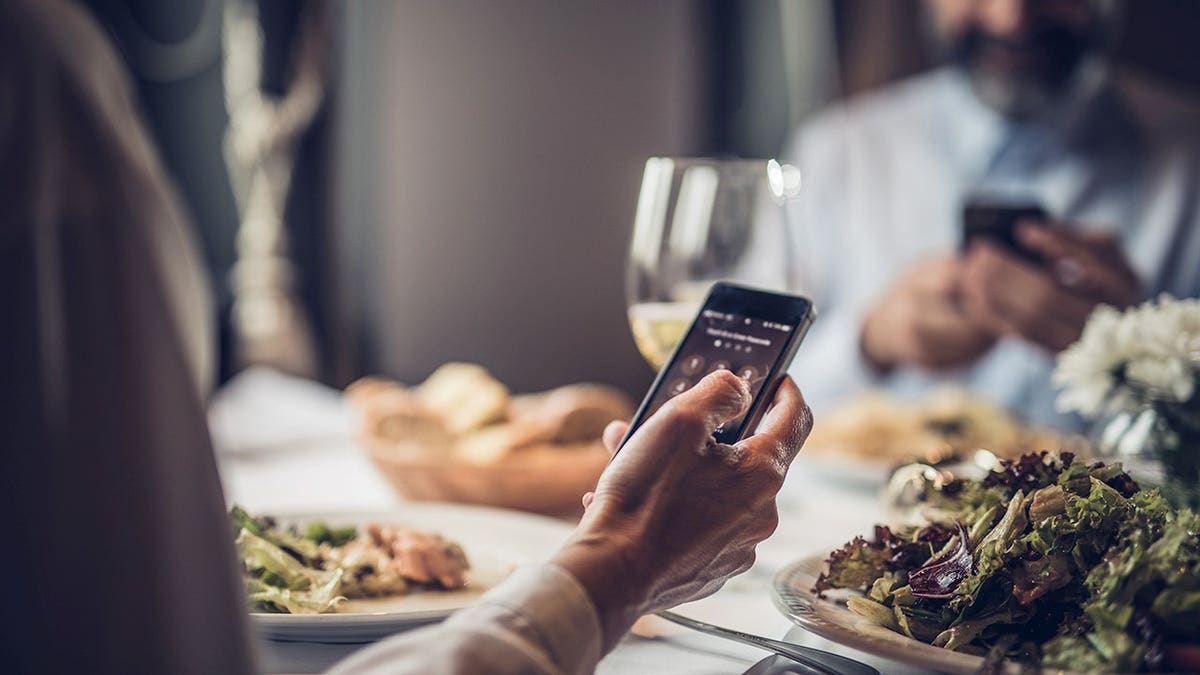
Scrolling while eating can lead to higher caloric intake and increased consumption of ultraprocessed foods, the interim surgeon general warned. (iStock)
Haridopolos encouraged families to build regular screen-free periods into their daily routines, including during meals, car rides and before bedtime.
TEST YOURSELF WITH OUR LATEST LIFESTYLE QUIZ

As part of the “Delay” step, the program recommended putting off children’s access to screens whenever possible. (iStock)
As part of the “Delay” step, Haridopolos recommended putting off children’s access to screens whenever possible. One way to do that, she said, is by requiring phones and other mobile devices to be charged overnight in a shared household space — like the kitchen or living room — rather than in children’s bedrooms.
CLICK HERE TO DOWNLOAD THE FOX NEWS APP
“Those are some simple activities that you can do that will make huge changes in the future,” the interim surgeon general added.

A passenger at the airport, Paul Lee, told the BBC he had not heard any announcements about the issue or seen bottled water being handed out.
He said: “For people who need to go to the toilet, this isn’t good, and still no announcement or official information – and the water they mentioned isn’t being distributed.
“I’m taking off soon, so that’s fine, but for passengers in a few hours, this will be bad.”
Lee added that restaurants and lounges were shut but shops were open.
Former MP and ex-CEO of UK Music Michael Dugher urged the airport on social media to “at least allow people to use the chairs in all the closed restaurants and bars”.
Dugher, who was recently appointed the UK government’s first “music champion”, said: “No water is one thing but depriving people of somewhere to sit is another… families are having to sit on the floor.”
People heading to the airport for flights have been advised not to arrive early.
A statement from Easyjet said: “Due to a water supply issue affecting London Gatwick Airport, bag drop desks are temporarily opening two hours before departure instead of three hours.”
The airline said: “Please do not arrive earlier, as you will not be able to drop off your bags or enter the departure lounge until bag drop opens.”
Follow BBC Sussex on Facebook, external, X, external, and Instagram, external and listen to BBC Radio Sussex on Sounds. Send your story ideas to [email protected], external or WhatsApp us on 08081 002250.